
사자자리
[웹기초] 생활코딩 JavaScript 15 ~ JavaScript 21 본문
Boolean
- true, false
- 단 2개의 데이터로 이루어져 있는 데이터 타입
| 비교 연산자 | 왼쪽 피연산자와 오른쪽 피연산자의 |
| == | 값이 같으면 true |
| === | 값, 타입이 같으면 true |
| != | 값이 다르면 true |
| !== | 값, 타입이 다르면 true |
HTML에서 꺽쇠(<, >)는 기본적으로 태그로 해석되기 때문에 다르게 입력해야 한다.
| 꺽쇠 | HTML에서 | 뜻 |
| < | < | less than |
| > | > | greater than |
if (boolean)
- boolean의 값이 true면 실행되고, false면 실행되지 않는다.
<!DOCTYPE html>
<html>
  <head>
    <meta charset="utf-8">
  </head>
  <body>
    <h1>Conditional Statements</h1>
    <h2>if (true)</h2>
    <script>
      if (true){document.write("1<br>");}
      else {document.write("0<br>");}
    </script>
    <h2>if (false)</h2>
    <script>
      if (false){document.write("1<br>");}
      else {document.write("0<br>");}
    </script>
  </body>
</html>
if (condition)
- 조건문의 boolean이 true면 실행되고 false면 실행되지 않는다.
<!DOCTYPE html>
<html>
  <head>
    <meta charset="utf-8">
  </head>
  <body>
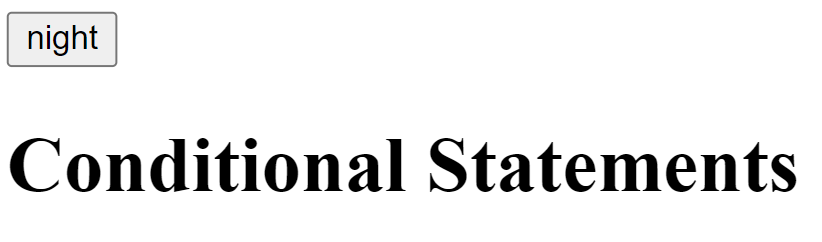
    <input id="mode" type="button" value="night" onclick="
      if (document.querySelector('#mode').value === 'night'){
        document.querySelector('body').style.backgroundColor = 'black';
        document.querySelector('body').style.color = 'white';
        document.querySelector('#mode').value = 'day';
      }
      else {
        document.querySelector('body').style.backgroundColor = 'white';
        document.querySelector('body').style.color = 'black';
        document.querySelector('#mode').value = 'night';
      }
    ">
    <h1>Conditional Statements</h1>
  </body>
</html>

<!--
document.querySelector('#mode').value: id값이 mode인 태그의 value값을 가져오는 코드
-->
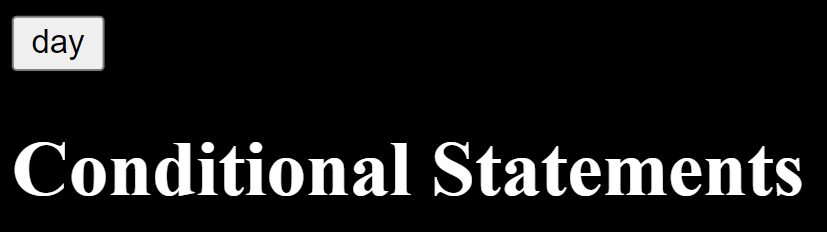
리팩토링(refactoring)
- 결과의 변경 없이 코드의 구조를 재조정하는 것
- 가독성을 높이고 유지보수를 편하게 조정한다.
this
- 자기 자신을 가리키는 코드
<!-- 원래 코드 -->
<input id="mode" type="button" value="night" onclick="
  if (document.querySelector('#mode').value === 'night'){
    document.querySelector('body').style.backgroundColor = 'black';
    document.querySelector('body').style.color = 'white';
    document.querySelector('#mode').value = 'day';
  }
  else {
    document.querySelector('body').style.backgroundColor = 'white';
    document.querySelector('body').style.color = 'black';
    document.querySelector('#mode').value = 'night';
  }
">

<!-- this 사용 -->
<input type="button" value="night" onclick="
  if (this.value === 'night'){
    document.querySelector('body').style.backgroundColor = 'black';
    document.querySelector('body').style.color = 'white';
    this.value = 'day';
  }
  else {
    document.querySelector('body').style.backgroundColor = 'white';
    document.querySelector('body').style.color = 'black';
    this.value = 'night';
  }
">
var
- variable: 변수
<!-- 원래 코드 -->
<input type="button" value="night" onclick="
  if (this.value === 'night'){
    document.querySelector('body').style.backgroundColor = 'black';
    document.querySelector('body').style.color = 'white';
    this.value = 'day';
  }
  else {
    document.querySelector('body').style.backgroundColor = 'white';
    document.querySelector('body').style.color = 'black';
    this.value = 'night';
  }
">

<!-- var 사용 -->
<input type="button" value="night" onclick="
  var target = document.querySelector('body');
  if (this.value === 'night'){
    target.style.backgroundColor = 'black';
    target.style.color = 'white';
    this.value = 'day';
  }
  else {
    target.style.backgroundColor = 'white';
    target.style.color = 'black';
    this.value = 'night';
  }
">
배열
<!DOCTYPE html>
<html>
  <head>
    <meta charset="utf-8">
    <title></title>
  </head>
  <body>
    <h1>Array</h1>
    <script>
      var black = ["Sirius", "Regulus"];	//배열 생성
      document.write(black[0], '<br>');		//인덱스
      document.write(black[1], '<br>');
      document.write('배열의 길이: ', black.length, '<br>');	//배열의 길이
      black.push("Orion");	//배열에 원소 추가
      document.write(black[2], '<br>');
      document.write('배열의 길이: ', black.length);
    </script>
  </body>
</html>
반복문 while
<!DOCTYPE html>
<html>
  <head>
    <meta charset="utf-8">
    <title></title>
  </head>
  <body>
    <h1>Loop</h1>
    <script>
      var i = 0;
      while (i < 3){
        document.write('Regulus Black<br>');
        i += 1;
      }
    </script>
  </body>
</html>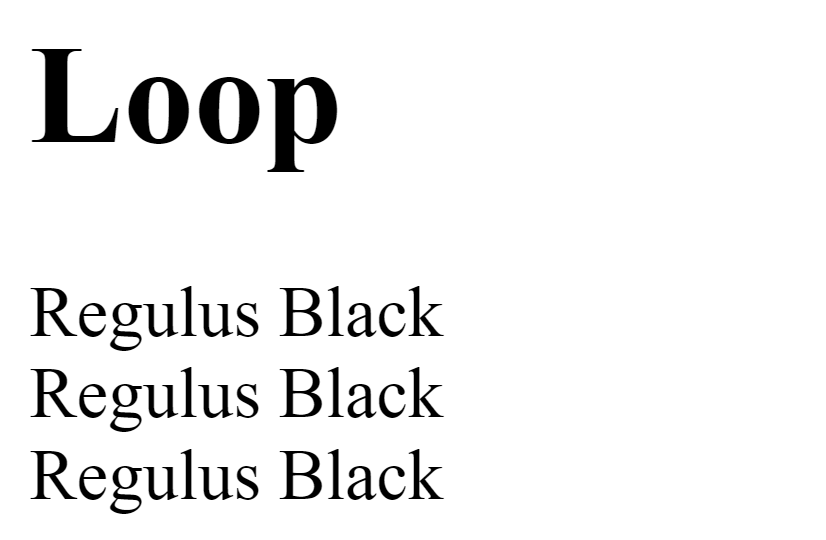
'웹기초 > 생활코딩 WEB 2 - JavaScript' 카테고리의 다른 글
| [웹기초] 생활코딩 JavaScript 30 ~ JavaScript 35 (0) | 2022.06.26 |
|---|---|
| [웹기초] 생활코딩 JavaScript 22 ~ JavaScript 29 (0) | 2022.06.19 |
| [웹기초] 생활코딩 JavaScript 9 ~ JavaScript 14 (0) | 2022.05.22 |
| [웹기초] 생활코딩 JavaScript 1 ~ JavaScript 8 (0) | 2022.05.15 |
'웹기초/생활코딩 WEB 2 - JavaScript' Related Articles
more


Comments