
사자자리
11장 그래픽스 응용 본문
tkinter 그래픽 모듈
- tk interface의 약자
- 고차원의 그래픽 응용 개발을 위해 파이썬에 내장된 그래픽 모듈
선 그리기: creat_line(x1, y1, x2, y2)
from tkinter import *
line = Tk()	#객체 생성
cnvs = Canvas(line, width = 500, height = 500)	#캔버스 생성
cnvs.pack()
cnvs.create_line(100, 100, 400, 400)	#시작점(100, 100)부터 종료점(400, 400)까지 선 그리기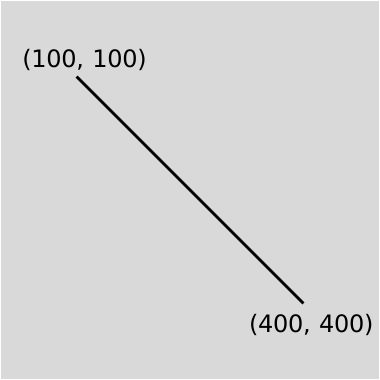
사각형 그리기: create_rectangle(x1, y1, x2, y2)
from tkinter import *
rect = Tk()	#객체 생성
cnvs = Canvas(rect, width = 500, height = 500)	#캔버스 생성
cnvs.pack()
cnvs.create_rectangle(100, 100, 400, 400)	#시작점(100, 100)부터 종료점(400, 400)까지를 대각선으로 하는 사각형 그리기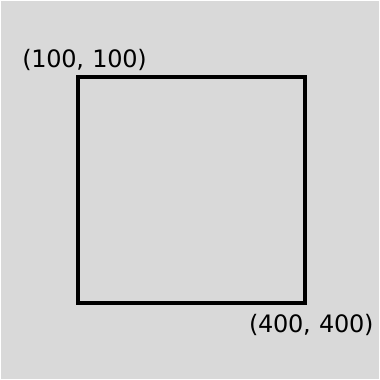
타원 그리기: create_oval(x1, y1, x2, y2)
from tkinter import *
oval = Tk()
cnvs = Canvas(oval, width = 500, height = 500)
cnvs.pack()
cnvs.create_oval(100, 100, 400, 400, outline = 'red', width = 5)
cnvs.create_rectangle(100, 100, 400, 400, outline = 'grey')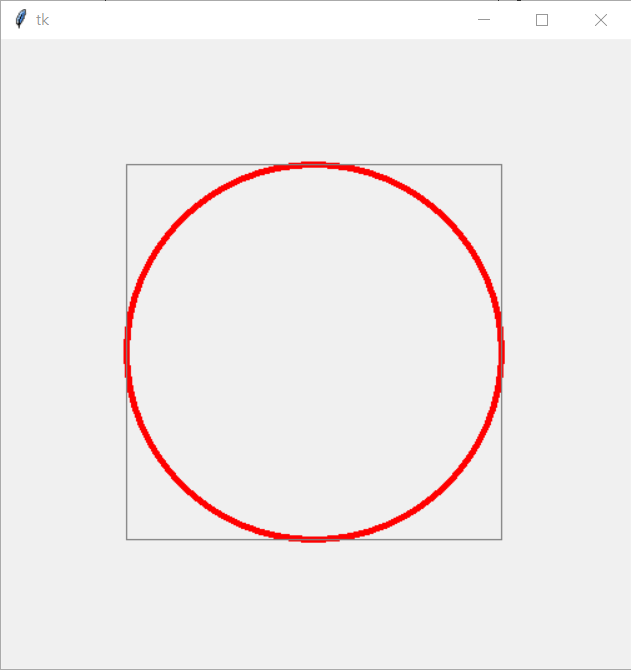
삼각형 그리기: create_polygon(x1, y1, x2, y2, x3, y3)
from tkinter import *
poly = Tk()
cnvs = Canvas(poly, width = 500, height = 500)
cnvs.pack()
cnvs.create_polygon(250, 200, 200, 300, 300, 300)
호 그리기: create_arc(x1, y1, x2, y2, extent = angle, style = shape)
| angle | 호의 중심 각도 (359도: 거의 원, 360도: 0도) | |
| style | PIESLICE |  |
| CHORD | ||
| ARC | ||
| start | 시초선의 각도 | |
from tkinter import *
arc = Tk()
cnvs = Canvas(arc, width = 500, height = 500)
cnvs.pack()

cnvs.create_arc(100, 100, 400, 400, extent = 60, style = PIESLICE, outline = 'red')
cnvs.create_arc(100, 100, 400, 400, start = 90, extent = 90, style = CHORD, outline = 'blue')
cnvs.create_arc(100, 100, 400, 400, start = 270, extent = 30, style = ARC, outline = 'green')
텍스트 입력: create_text(x1, y1, text = "")
from tkinter import *
text = Tk()
cnvs = Canvas(text, width = 100, height = 100)
cnvs.pack()
cnvs.create_text(50, 50, anchor = CENTER, text = "Black")
anchor
| NW | N | NE |
| W | CENTER | E |
| SW | S | SE |
move(ID, dx, dy)
- ID가 가리키는 항목을 dx, dy만큼 이동
from tkinter import *
from random import *
import time

poly = Tk()
cnvs = Canvas(poly, width = 500, height = 500)
cnvs.pack()
cnvs.create_polygon(250, 300, 200, 400, 300, 400)

for y in range(0, 100):
    cnvs.move(1, 0, -3)
    poly.update()
    time.sleep(0.05)
무작위로 직선 그리기
from tkinter import *
from random import *

random_line = Tk()
cnvs = Canvas(random_line, width = 500, height = 500)
cnvs.pack()

for i in range(5):
    x1 = randrange(250) #0 ~ 249
    y1 = randrange(250) #0 ~ 249
    x2 = x1 + randrange(-100, 250)
    y2 = y1 + randrange(-100, 250)
    cnvs.create_line(x1, y1, x2, y2)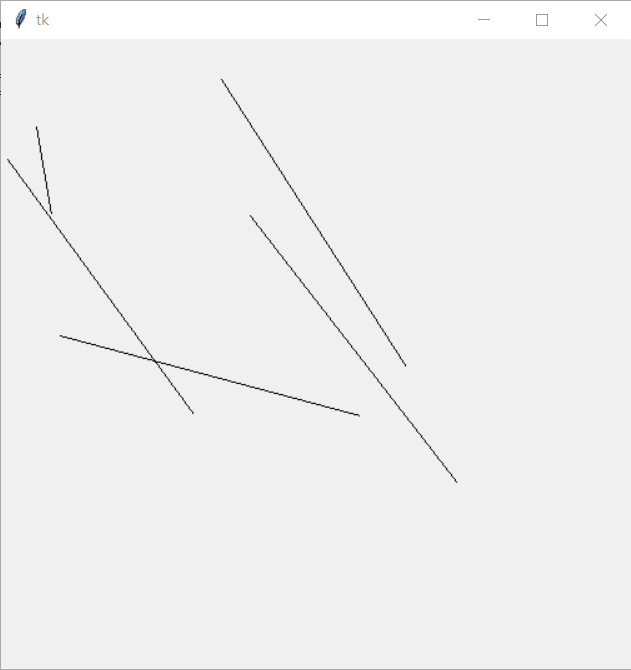
무작위로 사각형 그리고 칠하기
from tkinter import *
from random import *

random_rectangle = Tk()
cnvs = Canvas(random_rectangle, width = 500, height = 500)
cnvs.pack()
colors = ['red', 'blue', 'green', 'yellow', 'black']

for i in range(5):
    x1 = randrange(250) #0 ~ 249
    y1 = randrange(250) #0 ~ 249
    x2 = x1 + randrange(-100, 250)
    y2 = y1 + randrange(-100, 250)
    cnvs.create_rectangle(x1, y1, x2, y2, fill = choice(colors))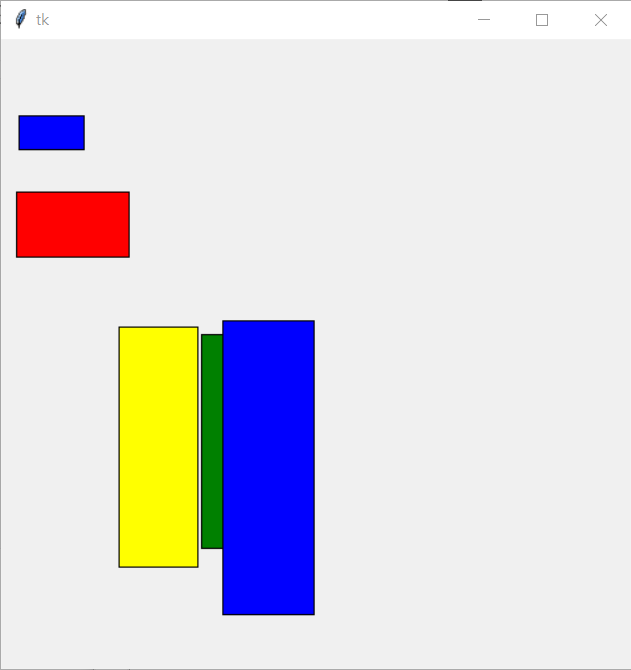
'Python' 카테고리의 다른 글
| 10장 객체와 클래스 (0) | 2022.06.13 |
|---|---|
| 08장 GUI와 파일 처리 (0) | 2022.06.12 |
| 07장 함수 (0) | 2022.06.12 |
| 06장 리스트와 연산 (0) | 2022.06.12 |
'Python' Related Articles
more

Comments